

What real-time machine monitoring shows
Real-time machine monitoring is a live reading of every machine on the shop floor: running, idle, the program and any alarm. In Scout MES the reading comes straight from the control over your factory LAN. Machines without a supported control are connected with the BIOS-IO-01 module.
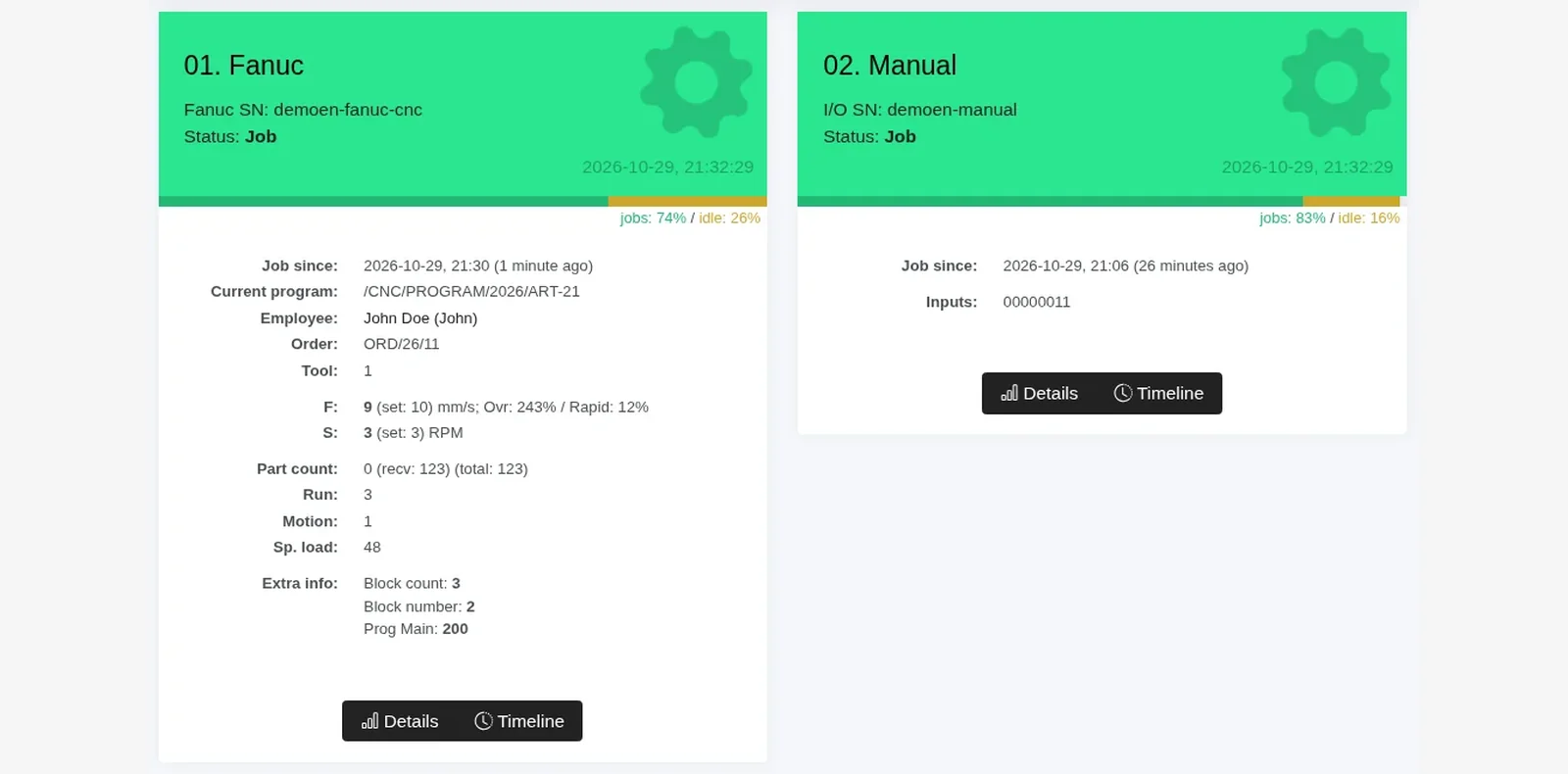
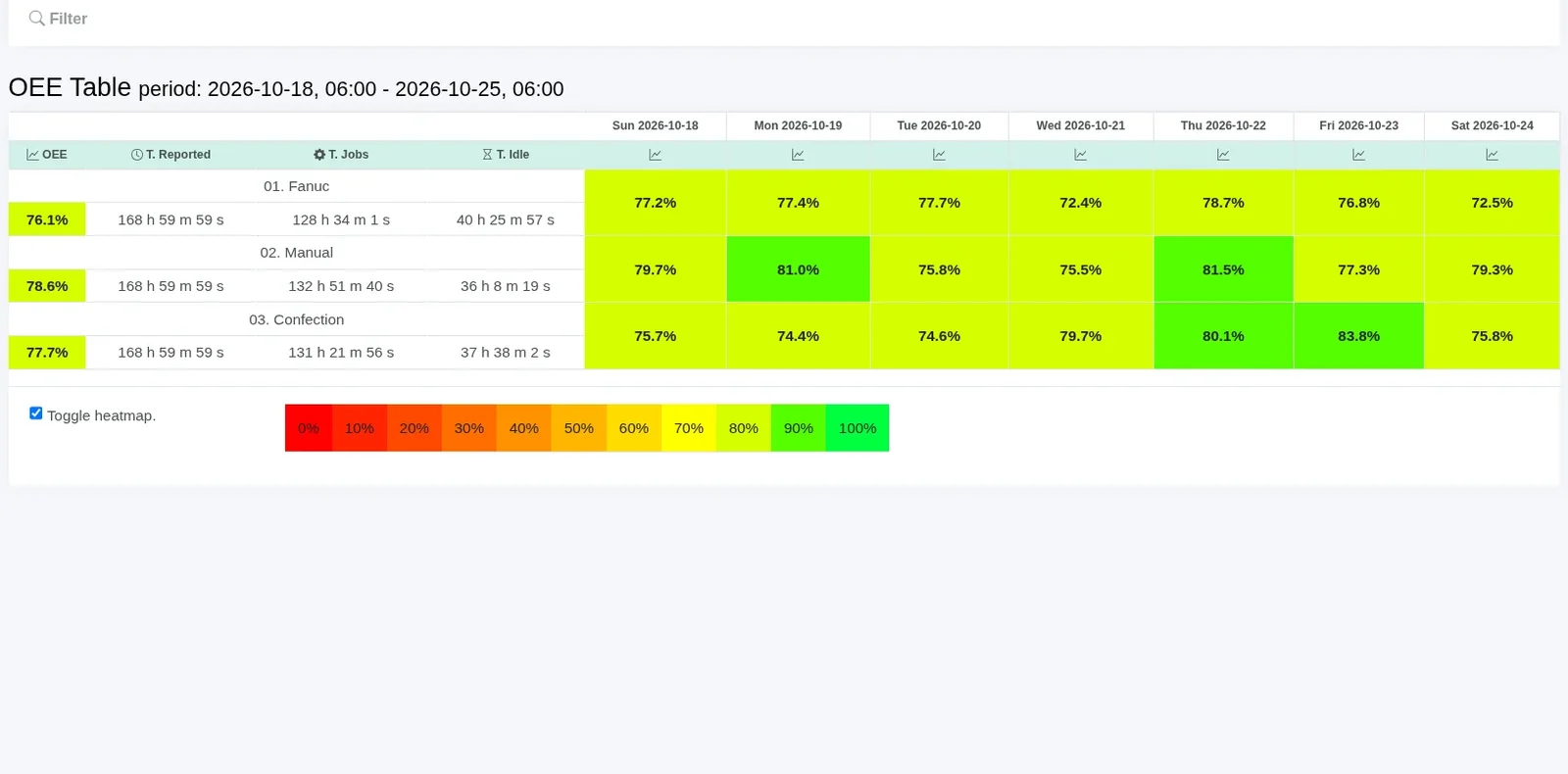
That reading has to be available at once, and it has to be free of the mistakes that come with typing a shift report by hand. For each control we use the protocol that control actually exposes. BIOS-IO-01 has digital inputs only, for example a run signal from the signal tower, and it sends data over the LAN. It can count parts if a suitable signal is wired to an input. It does not drive the machine.
- Data is collected automatically. Popular CNC controls need no electrical modification and no extra sensors. You connect the machines to the LAN and prepare a Windows PC. We do the rest remotely: we install and configure SCT, and we connect popular CNC controls within minutes.
- The reading is in the database and in the browser straight away. Nobody retypes it at the end of the shift. We can tailor the views to your plant. That work is usually charged separately, and we agree the scope and cost before we start. The 14-day trial uses the standard reports only. Tailoring works the same in the cloud and on your own server. See production reports.
- The status in Scout is the status on the machine. Short stops do not disappear between a walk around the shop and a spreadsheet.
Which data does real-time machine monitoring include?
It depends on the control. From supported CNC and PLC controls you usually get:
- actual run time and idle time,
- the program being run,
- current speed,
- parts made, on some controls,
- feed rate,
- the speed override value,
- spindle load, on some controls.
What the control cannot tell you, the operator adds on the operator panel: the job, OK or NOK, and the reason for the downtime.
Do the machines need internet access?
No. Real-time machine monitoring in Scout does not put the machine on the internet. The control stays on the LAN. SCT, a set of Windows services on a PC in that network, reads the data and sends it to Scout over HTTPS. You do not open inbound firewall ports. Scout only reads the control. It does not command machine motion.
How long does it take to start?
We connect popular CNC controls within minutes, once the machines are on the LAN and a Windows PC is ready (Windows 8/10 or Windows Server 2012 or later, .NET Framework 4.8, 2 cores, 4 GB RAM, and temporary remote access for us). The cloud trial runs for 14 days, with no obligation. Prices are on the pricing page. Scout MES monitors over 1,900 machines for over 130 customers.
Questions
Usually status and run time, the program, feed, speed, override and alarms. Some controls also provide a part counter and spindle load. The set depends on the control. The operator adds the job and the downtime reason on the operator panel.
No. The machine stays on the LAN. SCT on a Windows PC in your network reads the data and sends it to Scout over HTTPS.
We connect popular CNC controls within minutes. You connect the machines to the LAN and prepare a Windows PC. We install and configure SCT remotely. The trial lasts 14 days.
Yes. Machines without a supported control are connected with the BIOS-IO-01 module. It has digital inputs, for example a run signal from the signal tower, and it sends data over the LAN. It does not drive the machine.
Current cloud subscription prices and the on-premises quote are on the pricing page. The 14-day cloud trial is free.